


Check out our Socials


Written by

Marou H.
Whether you're presenting to a C-suite executive, pitching to a potential client, or delivering a strategic recommendation to a board of directors, one truth holds across every consulting engagement : the quality of your deck can make or break your message.
Top consulting firms like McKinsey, BCG, and Bain don't just present good ideas — they present them in a structured, visually compelling way that makes complex information feel clear, logical, and inevitable. Behind every great consulting deck is a set of slide types that appear again and again, regardless of the industry or the project.
In this article, we break down the 7 essential slide types every consulting deck needs, what each one is designed to do, and how to use them to elevate your next presentation from good to unforgettable.
Slide type 1: The Executive Summary Slide
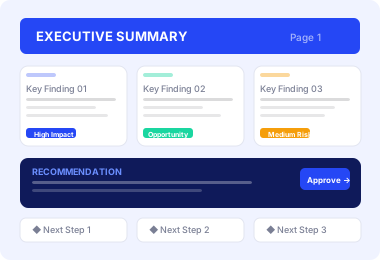
The first and often most important slide in your deck. It distills the entire story of your presentation into a single, scannable page that gives time-pressed executives everything they need upfront.
Include your core problem, 3–5 key findings, your primary recommendation, and the expected impact. Write it last, once your full deck is built, you'll know exactly what belongs here.
Pro tip :
Many senior stakeholders read only this slide. Make sure it tells your complete story — problem, insight, and recommendation — even if nothing else gets opened.
Slide type 2: The Data Visualization Slide
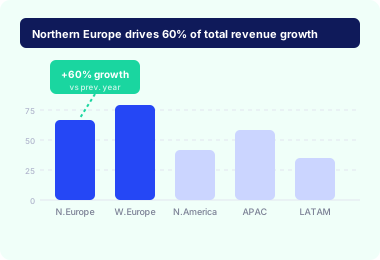
Any slide that uses charts, graphs, or visual data to communicate a quantitative insight. The right chart can communicate in 3 seconds what a table of numbers cannot communicate in 3 minutes.
Master bar charts for comparisons, waterfall charts for breakdowns, line charts for trends, and bubble charts for multi-variable relationships. Choose your chart type based on the story you need to tell, not habit
Pro tip :
Your slide title should state the insight, not just the topic. Instead of "Revenue by Region," write "Northern Europe drives 60% of total revenue growth." Let the chart prove it. Let the title state it.
Slide type 3: The Framework Slide
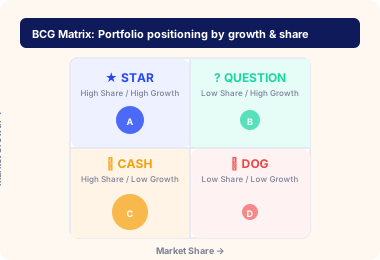
A structured visual model: 2×2 matrices, pyramids, Venn diagrams, issue trees, used to organize strategic thinking. Frameworks are the language of consulting: they demonstrate structure and make complexity manageable.
The classics include SWOT, BCG Matrix, 3Cs, Porter's Five Forces, Ansoff Matrix, and Issue Trees. Each one serves a specific analytical purpose, choose based on what you need to clarify, not what looks impressive.
Pro tip :
Don't use a framework just because it exists. Use it because it genuinely clarifies something your audience needs to understand. Forcing a framework onto the wrong situation is one of the most common junior consultant mistakes.
Slide type 4: The Structured Table Slide
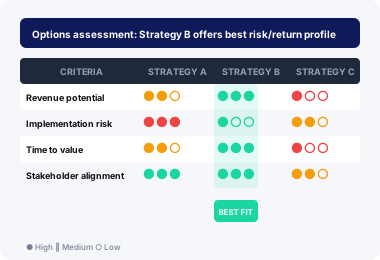
A clean, well-organized table used to display comparative or multi-dimensional information. When your audience needs to compare multiple options, entities, or criteria side by side, a structured table delivers instant clarity.
Common uses include competitor comparisons, options analysis, Harvey ball assessments, assumption logs, and initiative prioritization grids. The key is ruthless simplicity: only show what is necessary to support your argument.
Pro tip :
Use color sparingly but deliberately highlight the cells that contain your most important insight. And always state the table's conclusion in the slide title, not just the topic it covers.
Slide type 5: The Process Flow Slide
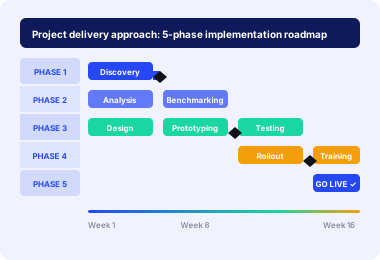
A visual representation of sequences, stages, or workflows using arrows, swim lanes, or connected shapes to show how things move from one state to another. Consulting is often about changing how organizations work, and you cannot change a process you cannot see.
Essential for implementation planning, change management, project roadmaps, and operational analysis. Use linear flows, swim lane diagrams, decision trees, and Gantt-style timelines depending on what needs to be communicated.
Pro tip :
Always use consistent visual language. If blue boxes mean one thing and green another, make your legend visible and the distinction meaningful. Visual inconsistency signals analytical inconsistency.
Slide type 6: The Insight & Takeaway Slide
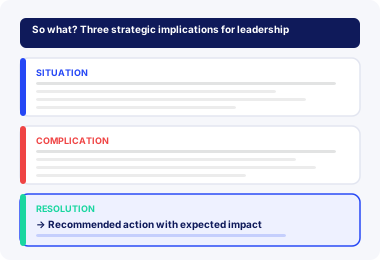
A slide designed to communicate a qualitative finding, strategic insight, or key conclusion. This is where you demonstrate your thinking, not just your research. It answers the question your audience is always asking : "So what does all of this actually mean?"
The strongest insight slides follow the Pyramid Principle's SCR structure : Situation (what is happening), Complication (why it matters), Resolution (what should be done). This is the backbone of how McKinsey communicates.
Pro tip :
Data tells your audience what happened. Insights tell them why it matters. This is the slide where you move from information provider to trusted advisor. Make every word count.
Slide type 7: The Recommendation & Next Steps Slide
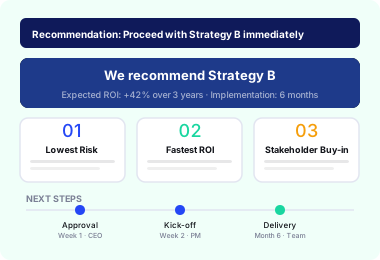
The closing slide that converts your entire analysis into a clear, actionable decision point. It answers the only question that truly matters : "What do you want us to do, and why should we do it?"
Include your primary recommendation stated directly, your 2–3 strongest supporting reasons, a prioritized list of next steps with owners and timelines, and any critical dependencies or risks to be aware of.
Pro tip :
Never end your deck on a "Thank You" slide. End on your recommendation. That is what you want your audience thinking about when the conversation begins. A recommendation slide signals the work is just starting and that you're ready to lead it.Data tells your audience what happened. Insights tell them why it matters. This is the slide where you move from information provider to trusted advisor. Make every word count.
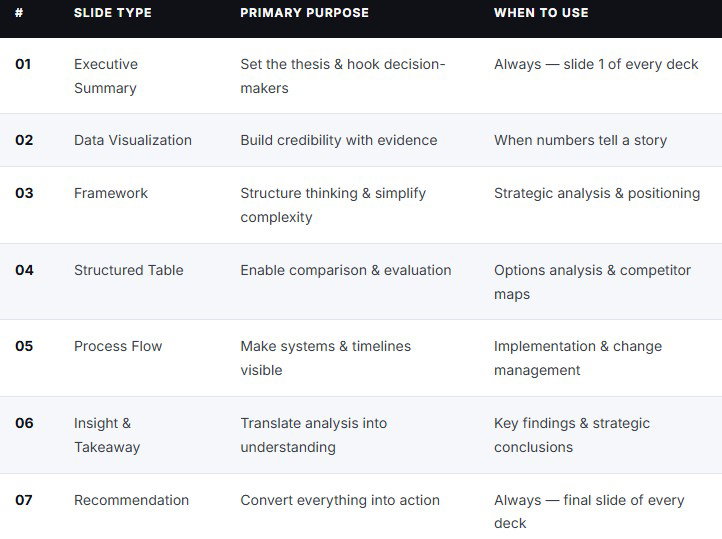
Mastering these 7 slide types won't just make your decks look better , it will make your thinking sharper, your arguments stronger, and your audience more convinced. The best consultants in the world don't succeed because they have better ideas than everyone else in the room. They succeed because they communicate those ideas in a way that is impossible to ignore. A structured executive summary that hooks from slide one. Data visualizations that tell a story at a glance. Frameworks that make complexity feel simple. Recommendations that leave decision-makers with only one logical conclusion : yes. That is the power of a well-built consulting deck. And now you have the blueprint.
Start with the executive summary. End with the recommendation. Fill everything in between with purpose.
And if you want to skip the building entirely, and go straight to presenting, our Consulting Essentials Toolkit gives you 300+ professionally designed, fully editable slides covering every type in this article, built by ex-consultants who have used them in real boardrooms at the world's top firms.
Your next great presentation is one download away.
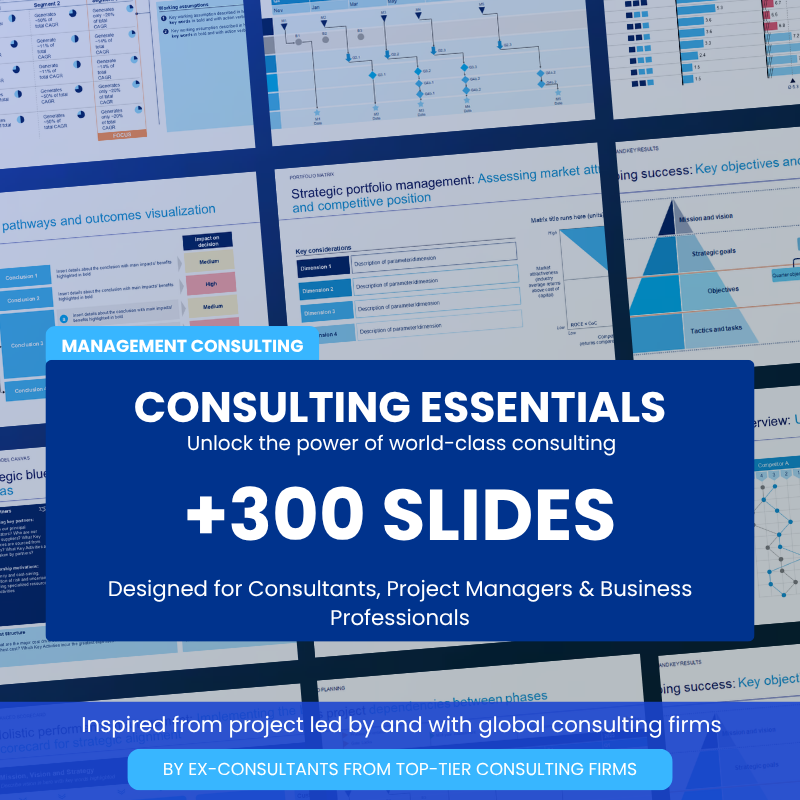
Consulting Essential Templates
executive summaries and SWOT analyses to competitor benchmarking, project timelines, and advanced data visualizations, every template is fully editable, ready to use, and designed to make your work look exceptional.
Get the templates now
Deliver presentations that impress
Stop wasting hours on design. Get instant access to our premium ready-made templates and start creating impactful, professional slides in minutes.
Get instant access now !


